WorkflowSaga builds practical software and automation that helps businesses reduce repetitive work, connect their tools, and run operations more efficiently.
We replace manual work — re-keying, chasing, copy-pasting — with better business systems your team actually uses, then hand them over for you to own.
Re-typing the same details into three tools. Chasing enquiries in an inbox. Rebuilding last week's numbers in a spreadsheet. Customer history scattered across email, WhatsApp and memory. It's slow, error-prone and it doesn't scale — and it's how most small businesses still operate.
✕Re-keying data between tools
✕Follow-ups that depend on someone remembering
✕Reports rebuilt by hand
✕Information nobody can find
→
What we're building
Systems that do the repetitive part.
Working software built around your real process: automations that move data and follow up on their own, custom applications where off-the-shelf tools don't fit, and AI that reads, drafts and sorts — with a person checking where it matters. Tested, documented and handed over for you to own.
✓Automations across the tools you already use
✓Custom web applications and SaaS products
✓AI built into the workflow, not bolted on
✓Full handover: code, data, accounts
Why WorkflowSaga
01
Replace manual work with systems that run on their own
02
Connect the tools you already use instead of adding another subscription
03
Know the scope and the price before a single line of code is written
04
Built once, owned outright — your code, data and accounts, not a monthly rental
AI and automation changed. The hard part didn't.
In the last few years the technology became far more capable and far more accessible. What most businesses still lack isn't another tool — it's someone to turn it into a system that fits.
AI01
Software can now read and write
Language models can read documents, emails and forms, extract what matters and draft replies. Work that needed a person just to read it can now be prepared automatically — and checked by a person.
Integrations02
Almost every tool has an API
CRMs, accounting software, email, payments and messaging can talk to each other. Data that used to be re-typed can move on its own, the moment something happens.
Build speed03
Custom software got within reach
Modern frameworks, cloud hosting and AI-assisted development mean a system that once needed a large team and a large budget is realistic for a small business.
The gap04
Tools are everywhere. Systems aren't.
Businesses end up with a pile of subscriptions and demos that don't connect to how they work. The hard part is now fitting the technology to a real process, making it reliable, and owning it. That's the part we do.
AI where it's reliable. A person where it matters. And you own all of it.
One team for the whole system.
Most projects start with one process that takes too long. We work out what will actually fix it — an automation, an application or a product — and build that.
Workflow automation
Email
CRM
Invoice
Report
Your team re-keys the same data between tools, chases the same follow-ups and rebuilds the same reports every week.
You get: A mapped workflow, automations that connect the tools you already use, logs and alerts so you can see what ran, and documentation.
Spreadsheets and off-the-shelf tools no longer fit how your business actually operates.
You get: A web application built around your process: user accounts and roles, the screens your team needs, admin tools, and your data in your own database.
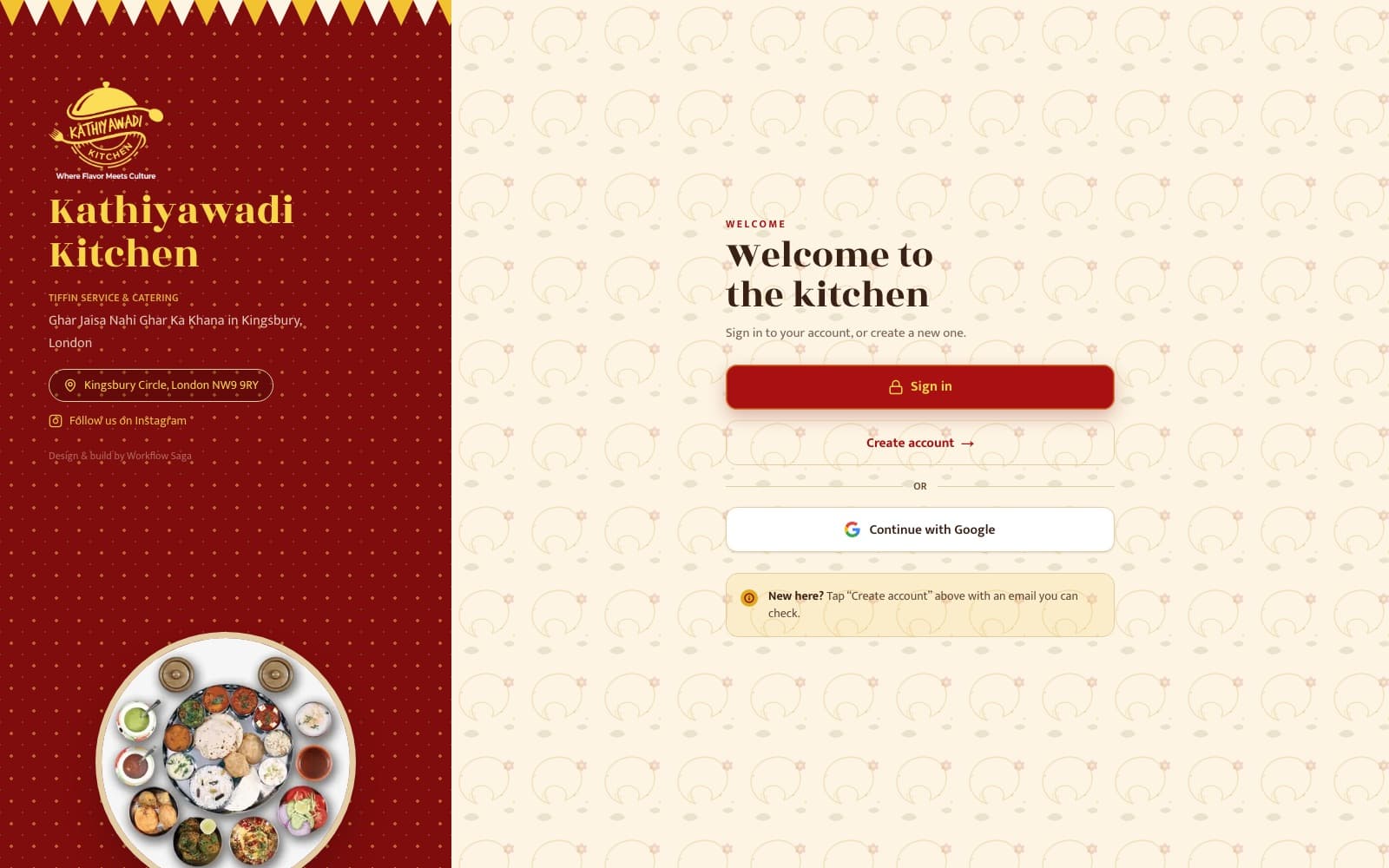
Example: Kathiyawadi Kitchen's ordering and admin system.
Staff spend hours reading, sorting and drafting — documents, emails, enquiries — that follow predictable patterns.
You get: AI built into the workflow: drafting, data extraction, classification or search over your own documents, with a person reviewing the output where it matters.
TaxPilotDesk — clients, tasks, GST/TDS/ROC/ITR compliance tracking, documents, invoices and AI-drafted reminders in one place. Available now as a working demo.
Every growing business should run on systems as good as the biggest companies have — built around how it actually works, and owned outright.
Our mission
We design, build and hand over practical software, automation and AI for small and growing businesses around the world — removing repetitive work, connecting the tools they already use, and leaving them owning everything we build.
You own it. All of it.
On custom projects, the finished system is yours — not a subscription you lose access to if you stop working with us.
Third-party services — hosting, APIs, AI usage, domains — bill you directly. Ownership terms for our product, TaxPilotDesk, are agreed separately. Any exception on a custom project is written into the contract before work starts.
handover-checklist8 items · yours
✓Source codeIn a repository under your account.
✓Hosting & infrastructureSet up in accounts in your name.
✓Database & dataYour data, in your own database.
✓DomainRegistered to you.
✓Credentials & admin accessTransferred to you at handover.
✓DocumentationHow it works and how to make routine changes.
✓DeploymentLive on your infrastructure, not ours.
✓TrainingFor the people who'll use and run it.
Frequently asked questions
What happens on a discovery call?
We talk through how the process works today, who's involved, what it costs you in time, and the result you want. There's no obligation. If it's a good fit, we follow up with a proposed scope and a fixed quote. If software isn't the right answer, we'll tell you.
How is a project scoped?
In writing, before any work starts: what will be built, what won't, the outcome it's for, how we'll test it, and what you'll receive at handover. Changes after that are agreed in writing too, so the scope never drifts silently.
How long does a project take?
It depends on the scope — a single automation and a custom application are very different jobs. We give you a timeline in writing once the scope is agreed, not before we understand the work.
How much does it cost?
Every project is quoted individually as a fixed, one-time price — not a day rate that runs long. You'll know the number before any work starts. If you have a budget in mind, sharing it on the enquiry form helps us suggest what's realistic.
Do I own what you build?
On custom projects, yes: source code, database, hosting and domain accounts, credentials, documentation and admin access are handed over to you. Any exception is written into the contract before work starts. Our product, TaxPilotDesk, has its own terms.
Where is it hosted, and who pays for it?
On accounts in your name — typically a cloud hosting provider and a managed database chosen to suit the project. Those providers bill you directly. We'll explain the expected running costs during scoping.
How do you handle security and data?
Data stays in your own database. We use encrypted connections, keep secrets and API keys out of the code, give each person only the access they need, and hand all credentials over at the end. If you need to meet a specific compliance standard, raise it on the discovery call so we can tell you honestly whether we can meet it.
Can you work with the software we already use?
Usually, yes — if the existing system offers an API or integration. We check this during scoping and tell you upfront if something can't be connected reliably, rather than forcing it.
What about maintenance after launch?
You get documentation and training so routine changes don't depend on us. If you want ongoing support or new features, we agree the scope, response times and cost in writing. It's optional — there's no mandatory retainer.
Do you work with international clients?
Yes. We're based in Anand, Gujarat, India, and work remotely with businesses worldwide, including the UK, USA, Australia and India. Calls are arranged at a time that suits your time zone, and everything is agreed in writing.
The first step is a conversation about how the process works today and the result you want. No obligation — if it's a good fit, you'll get a proposed scope and a fixed quote before any work starts.